
Private Preview

Azure DevOps

Rencore monitors Azure DevOps across 15 governance policies, 3 reports, and 9 inventories spanning organizations, projects, repositories, branches, pull requests, users, groups, and personal access tokens, detecting PAT risk and stale pull requests automatically.

Published For IT Admin, Head of IT, CISO
Code

Azure DevOps is in private preview. Join the waiting list and we will reach out when access opens up.

Join the waiting list
Definition

Rencore Azure DevOps governance is a set of 15 policies, 3 reports, 5 segments, and 9 inventories that audit Azure DevOps organizations, projects, repositories, branches, pull requests, users, groups, and personal access tokens. It detects PATs older than 90 days, PATs with full-access scope, repositories without branch policy on the default branch, pull requests open more than 30 days, and active external users, with three automated remediation actions to revoke PATs, deactivate users, and disable repositories.

See Azure DevOps in Rencore

Step 1 of 3

39 governance capabilities: 9 inventories · 15 policies · 3 reports · 5 segments · 3 automations

Why govern Azure DevOps with Rencore

Govern personal access tokens

Detect personal access tokens older than 90 days, PATs granting full-access scope, PATs unused for 60 days, and PATs expiring within 14 days. Revoke risky or stale tokens directly from Rencore.

Enforce branch protection

Find repositories without branch policy on the default branch and repositories missing required reviewers. Surface every default branch that bypasses code review before a sensitive change ships.

Clear stale pull requests

Flag pull requests open for more than 30 days and pull requests without reviewers. Give engineering leads a clean view of execution risk and abandoned work.

Tighten user and group access

Identify active external users in the Azure DevOps organization, inactive users still holding seats after 90 days, projects without an active administrator, and empty security groups. Run the built-in access review to keep org membership accurate.

What Rencore discovers

Rencore automatically inventories these Azure DevOps object types.
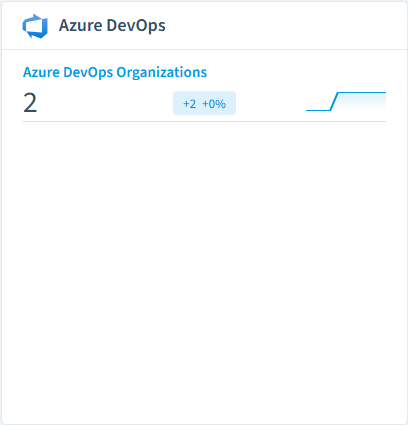
Azure DevOps Organization
An Azure DevOps organization (the top-level container for projects, users, and repositories).
Azure DevOps User
Azure DevOps user account (member of one or more organizations).
Azure DevOps Group
Azure DevOps security group used to manage permissions on projects, repositories, and pipelines.
Azure DevOps Project
Azure DevOps project containing repositories, pipelines, work items, and security groups.
Azure DevOps Personal Access Token
Personal Access Token issued for an Azure DevOps user. PATs authenticate API requests and bypass conditional access; they are a high-value governance target.
Azure DevOps Repository
Azure DevOps git repository.
Azure DevOps inventory card in Rencore

How Azure DevOps governance works in Rencore

Rencore connects to Azure DevOps via the Azure DevOps REST API and inventories nine object types: organizations, users, groups, projects, personal access tokens, repositories, branches, branch policies, and pull requests. The 15 policies run on every scan cycle, evaluating each object against PAT, branch-protection, pull-request, and access rules with severity levels.

Who uses Azure DevOps governance

IT administrators use PAT and external-user policies to keep developer-platform access tight. CISOs rely on branch-protection and required-reviewer policies as part of secure software supply chain controls. Heads of IT use the three reports (PATs by scope, pull requests over time, repositories by project) to size the developer footprint and justify Azure DevOps spend. The built-in access review for Azure DevOps organizations gives compliance teams an attested membership view on a recurring cadence.

Getting started

Provide Rencore with an Azure DevOps Personal Access Token or service principal with read access at the organization scope, plus write access for the three automated actions: revoke PAT, deactivate user, and disable repository. All 15 policies activate on first scan. Rencore links Azure DevOps users to Entra ID for cross-platform identity governance alongside SharePoint, Teams, GitHub Copilot, and the rest of your developer and collaboration stack.

Policies

15 governance rules that detect violations and risks.
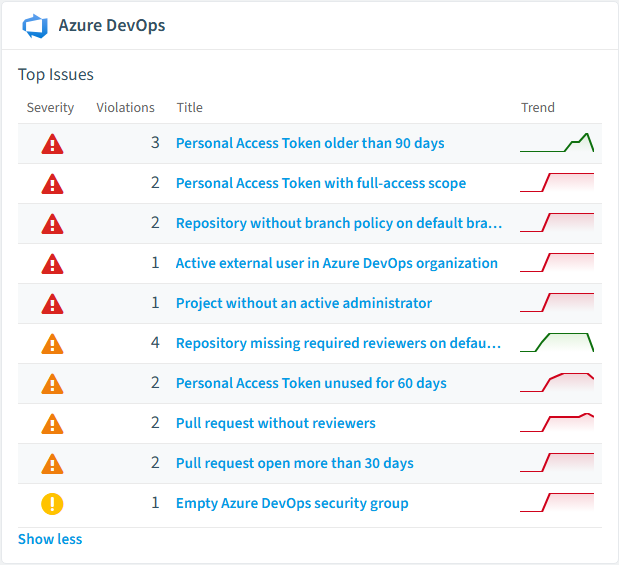
Azure DevOps policies card in Rencore
PAT has full-access scope
Active full-access Personal Access Tokens are over-privileged credentials, raising the likelihood that a weakness leads to a serious incident.
High Security
User is an active external guest
Active external B2B guest accounts are an exposed, harder-to-govern identity, raising the likelihood that an access issue is exploited.
High External Access
Project is publicly visible
Public projects are reachable by anonymous internet users, raising the likelihood that a misconfiguration is discovered and abused.
High Security
Personal Access Token older than 90 days
Detects Azure DevOps Personal Access Tokens that were issued more than 90 days ago and are still active.
High Security
Personal Access Token with full-access scope
Detects active Azure DevOps Personal Access Tokens issued with the all-scopes ('vso.full' / 'app_token') permission.
High Security
Repository without branch policy on default branch
Detects Azure DevOps git repositories whose default branch has no enabled branch policy.
High Security

Need a rule that isn't listed? Rencore's Policy Builder lets you create custom policies tailored to your organization.

Reports

3 analytics views and dashboards.
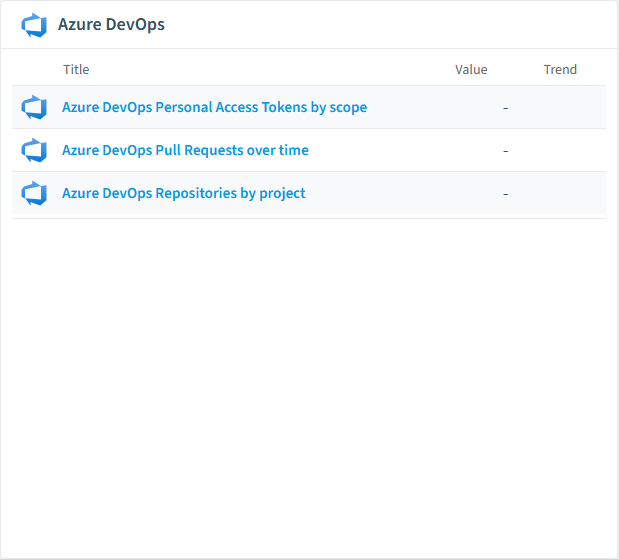
Azure DevOps Personal Access Tokens by scope
Shows the distribution of Azure DevOps Personal Access Tokens by scope.
Bar Chart · Security
Azure DevOps Pull Requests over time
Shows the number of Azure DevOps pull requests opened per month over the last 12 months.
Line Chart · Operation
Azure DevOps Repositories by project
Shows the number of git repositories per Azure DevOps project.
Bar Chart · Uncategorized
Azure DevOps reports card in Rencore

Automations

3 automated remediation workflows.

Revoke Azure DevOps Personal Access Token
Revokes an Azure DevOps Personal Access Token after approval.
Deactivate Azure DevOps User
Removes an Azure DevOps user entitlement after approval.
Disable Azure DevOps Repository
Disables an Azure DevOps git repository after approval.

Segments

5 data groupings for targeted filtering.

External Azure DevOps UsersInactive Azure DevOps Users (90 days)Personal Access Tokens expiring within 14 daysRepositories without branch policiesAbandoned Azure DevOps Pull Requests

Frequently asked questions

What governance areas does Rencore cover?
Rencore covers six governance pillars: visibility and inventory across all Microsoft 365 services, ready-to-go policies with over 100 pre-built governance checks, compliance and audit evidence collection for regulatory requirements, extensibility and customization through custom policies and automations, cross-department collaboration with shared dashboards and role-based access, and AI and Copilot readiness to prepare tenants for secure AI adoption.
What is Rencore governance?
Rencore governance is a SaaS platform that continuously monitors your Microsoft 365 tenant for policy violations, configuration drift, and security risks across SharePoint, Teams, Power Platform, Copilot, and AI Agents. It automates compliance evidence collection, surfaces oversharing and sprawl, and provides actionable remediation workflows, reducing manual audit effort by up to 80%.
How do Rencore policies work?
Rencore ships with hundreds of pre-built policies that detect governance violations across every connector, oversharing, sprawl, cost overruns, security risks, and compliance gaps. Policies run on a continuous schedule, evaluate each discovered object against configurable rules, and flag violations with severity (High, Medium, Low), category, and a recommended action.
Can I build custom automations in Rencore?
Yes. Rencore's V3 automation engine supports custom workflows with branching logic, conditional steps, multi-step approvals, and multiple action types. You can trigger automations from policy violations, schedules, or manual initiation. Built-in integrations include ServiceNow, webhooks, Power Automate, and Copilot Studio for extending governance into other systems.

Related guides

Trusted by

MAPALBAMVille de LuxembourgWACKERGRUNDFOSAMGENOsramLufthansaThyssenKruppSunrisePattern







