
Azure
Rencore inventories Azure subscriptions with 5 inventory types and 1 governance policy, providing visibility into resources and costs across your Azure environment.
Rencore Azure governance is a set of 1 policy and 5 inventories that provide visibility into resources and costs across your Azure subscriptions. It inventories subscriptions, resource groups, and key resources, connecting Azure infrastructure data with your Microsoft 365 governance posture to give IT a unified view of their Microsoft estate.
See Azure in Rencore
Every Azure object Rencore discovers and inventories across your tenant.
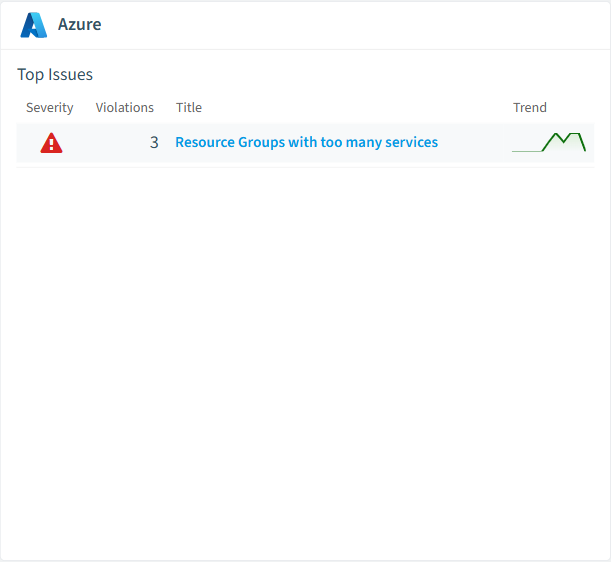
The governance policies Rencore evaluates against Azure, with severity and category.
The Azure governance dashboard, summarizing risks and status at a glance.
Why govern Azure with Rencore
Unified Microsoft estate visibility
See Azure subscriptions alongside Microsoft 365 tenants in a single governance dashboard. Correlate Azure resource usage with M365 identity and access data for a complete picture.
Track Azure resource inventory
Inventory subscriptions, resource groups, and resources automatically. Know what exists across your Azure environment without manual audits or separate tooling.
Connect cloud cost data
Surface Azure cost data alongside M365 license costs. Reports show subscription-level spending to help IT leaders plan budgets across their full Microsoft footprint.
What Rencore discovers
Rencore automatically inventories these Azure object types.
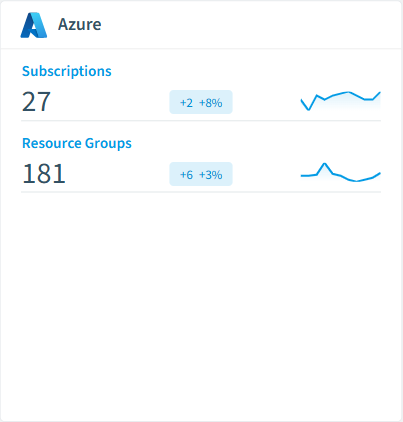
How Azure governance works in Rencore
Rencore connects to Azure via the Azure Resource Manager API and inventories subscriptions, resource groups, and resources. Policy evaluation runs on each scan cycle, providing governance data that complements your Microsoft 365 governance posture.
Who uses Azure governance
M365 product owners use Azure inventory data alongside their tenant governance to get a complete Microsoft estate view. IT administrators track resource inventory across subscriptions. CISOs correlate Azure resource data with M365 identity and access findings.
Getting started
Connect your Azure subscriptions to Rencore via Azure AD application registration. Inventory collection starts on first scan, covering subscriptions, resource groups, and resources automatically.
Policies
1 governance rules that detect violations and risks.
Need a rule that isn't listed? Rencore's Policy Builder lets you create custom policies tailored to your organization.
Frequently asked questions
What governance areas does Rencore cover?
What is Rencore governance?
How do Rencore policies work?
Trusted by










